
How to Choose a 4G or 5G Antenna and Get the Signal Your Router Was Built For
Most weak 4G and 5G links are an antenna problem, not a router problem. This guide covers how to choose a 4G or 5G antenna: frequency bands, gain and pattern, MIMO ports, cable loss, connectors and a survey of the site.
Or send us the router model, the site and a photo of where the antenna can go, and we’ll match the antenna, cable and connectors for you.

What Does an Antenna Do?
An antenna converts the radio signal in the air into an electrical signal your router can use, and back again when it transmits. It adds no power: gain comes from focusing reception in some directions at the expense of others. Knowing how to choose a 4G or 5G antenna comes down to matching the frequency bands, pattern, port count, cable and connectors to your router and your site.
The router decides what is possible. The antenna, the cable and where it is mounted decide how much of it you actually get.

Why the Antenna Gets Forgotten
It is the cheapest part of the kit, so it is often the last thing chosen and the first thing blamed on the network. These are the mistakes we see most.
Stub Antennas in a Metal Cabinet
The antennas that come in the box are fine on a desk. Inside a steel cabinet most of the signal never reaches them, so the antennas need to be outside it.
Long Runs of Thin Cable
Ten metres of thin coax can throw away more signal than a good antenna gains. The cable is part of the antenna system, not an afterthought.
Half the Ports Connected
A 4×4 MIMO router with two antennas fitted cannot use its other two paths, and much of its speed goes with them.
The Wrong Connector
SMA and RP-SMA look almost the same and screw together, but make no contact. Every adapter used to fix it adds loss.
Bands That Do Not Match
An antenna built for 4G only can stop short of the 3.6 GHz band, so a 5G router behind it never reaches full 5G speed.
No Survey Before You Start
Bars on a phone are not a site survey. Measure each operator where the antenna will go, then choose the antenna.
Lower Frequency Means a Bigger Antenna
An antenna element works best when its length is matched to the wavelength, and the wavelength grows as the frequency falls. A quarter-wave element is about 2 cm at 3.6 GHz, about 9 cm at 800 MHz and about 17 cm at 450 MHz. That is why antennas that perform well down at 700 MHz or 410 MHz are physically larger, and why a small puck cannot match a mast antenna on the low bands.
Low bands travel further and get into buildings better, so rural sites lean on them. Irish operators hold spectrum from 700 MHz up to 3.6 GHz: the lower bands for coverage, the higher ones for capacity. Check the antenna covers every band your router uses, with usable gain at both ends, not just a headline figure.
Gain Is Focus, Not Power
Gain is quoted in dBi: how much stronger the antenna is in its best direction than a theoretical antenna that radiates equally everywhere. Some datasheets use dBd, which reads 2.15 dB lower for the same antenna. Because an antenna adds no power, gain in one direction is always borrowed from another.
Omni antennas
Even all the way round seen from above; a doughnut seen from the side. Higher gain flattens the doughnut, so it reaches further along the horizon but can miss a mast that sits well above or below it.
Directional antennas
Concentrate the signal towards one mast. The right fix for a fixed site at the edge of coverage, but it has to be aimed and kept aimed.
Same dBi, different result
Two antennas with the same headline figure can perform very differently. Compare the gain at your bands and the patterns on the datasheet.
Connect Every Port on the Router
4G and 5G routers use MIMO: several antennas sending and receiving separate data streams at the same time. A 2×2 router has two cellular ports and a 4×4 router has four. Each port needs its own antenna element and its own cable.
Match the Count
4×4 router, 4×4 antenna. A 4-in-1 MIMO antenna puts all four elements in one housing, so it is one mount and four cables.
No Splitters
A splitter will not create extra MIMO channels; it only adds loss. If the antenna has more cables than the router has ports, connect one matched pair and terminate the rest with 50-ohm loads.
Keep the Paths Equal
Use the same cable type and length on every port, so no path is weaker than the others. Cross-polarised (XPOL) antennas set the elements at different angles to keep the paths distinct.
Cable Loss: The Part Most People Forget
Every metre of coax between the antenna and the router costs signal, and the loss grows with frequency. Every 3 dB lost halves the power. Thin cable is easy to route but loses far more than thick cable.
| Cable | Diameter | 900 MHz | 1800 MHz | 2500 MHz | 10 m at 2500 MHz |
|---|---|---|---|---|---|
| LMR-195 (HDF-195 class) | 4.9 mm | 0.37 dB/m | 0.53 dB/m | 0.62 dB/m | 6.2 dB · about 76% lost |
| LMR-240 | 6.1 mm | 0.25 dB/m | 0.36 dB/m | 0.42 dB/m | 4.2 dB · about 62% lost |
| LMR-400 | 10.3 mm | 0.13 dB/m | 0.19 dB/m | 0.22 dB/m | 2.2 dB · about 40% lost |
Cable-only loss from the manufacturer’s datasheets (Times Microwave LMR series, 25°C). Each connector and adapter adds a little more, and the 3.6 GHz 5G band loses more again.
The Fix for Long Runs: Put the Router at the Antenna
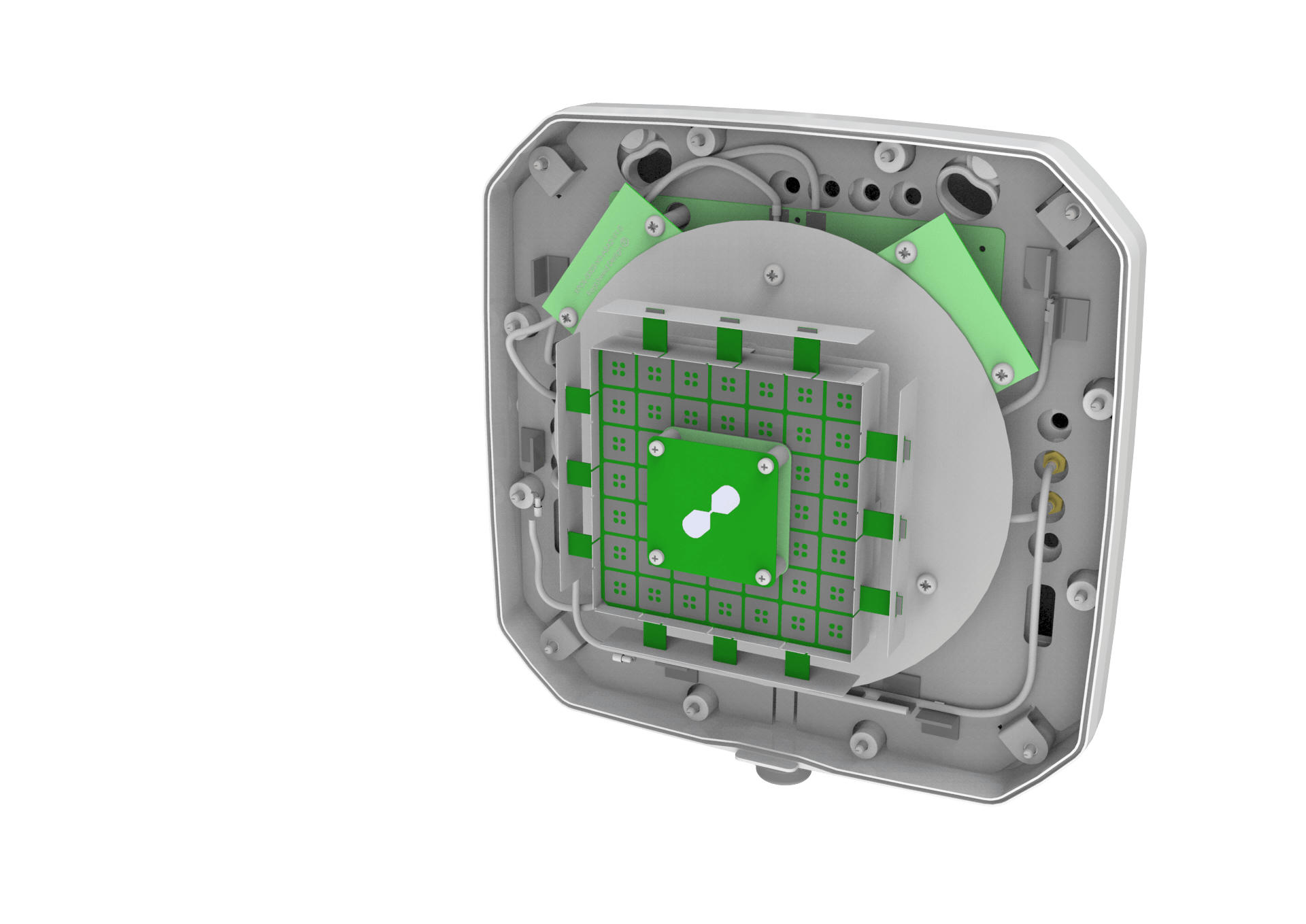
When the antenna has to go high on a mast or roof and the equipment sits far below, move the router up instead of running long coax down. The Poynting EPNT enclosures combine a high-gain antenna with a weatherproof housing the router mounts inside, so only Ethernet and power run back down. Ethernet carries data up to 100 m with no radio loss, and PoE can carry the power on the same cable where the router supports it.
Short runs still matter: keep the router-to-antenna jumpers short, use the same cable on every MIMO port, and avoid adapters where you can.
Poynting
EPNT-4 Enclosure
Cross-polarised omni 5G/LTE and Wi-Fi antenna with room for the router inside.
Poynting
EPNT-2 Enclosure
Cross-polarised, high-gain directional 5G/LTE antenna and router housing for sites at the edge of coverage.
Connectors: Check Before You Order
Most industrial 4G and 5G routers have SMA female ports, so the antenna cable needs an SMA male connector. RP-SMA reverses the centre contact and is common on Wi-Fi equipment. Check the router datasheet, the antenna datasheet and every adapter in between, and avoid adapters where you can.
Survey the Site Before You Choose
Phone bars hide the detail. A survey tool reads each operator’s signal at the spot where the antenna will go, so you choose the network, the antenna type and the direction to aim before you buy. For cellular, three readings matter.
RSRP: Signal Strength
How much signal arrives. As a rough guide, better than −90 dBm is good and worse than −100 dBm is weak.
RSRQ: Signal Quality
How clean the signal is on a busy cell. Better than −15 dB is good; worse than −20 dB is poor.
SINR: Signal to Noise
The signal compared with noise and interference, and the best guide to speed. Above 13 dB is good; below 0 dB is poor.

Siretta
SNYPER-5G Survey Tool
Surveys and logs 5G NR, 4G, LTE-M, NB-IoT and 2G across the operators without a SIM. 5G non-standalone cells need a SIM for that network.

Siretta
SNYPER-LTE Graphyte
4G network survey with LiveScan for aiming antennas and data logging over hours or days.
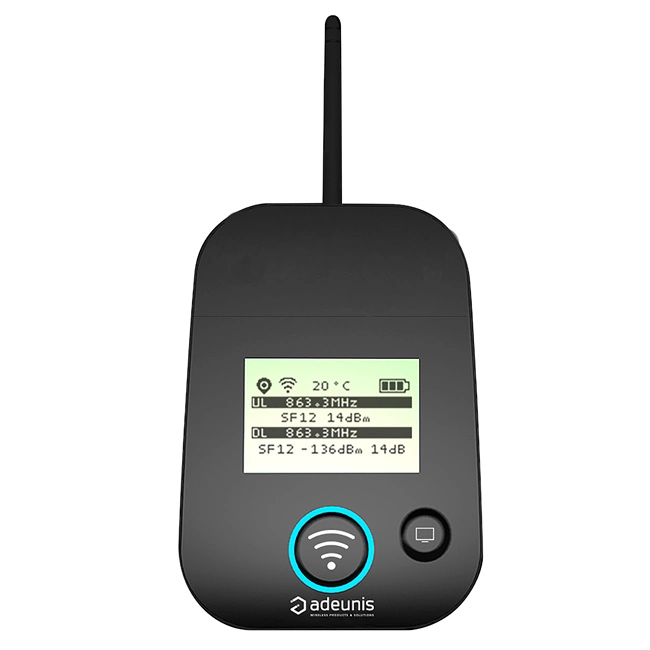
Adeunis
Field Test Device (FTD)
The LoRaWAN equivalent: RSSI, SNR, packet loss and GPS at each point where a sensor or gateway will go.
Also: SNYPER CAT-M/NB-IoT · Siretta Cloud SURVEY · How to read 4G signal strength · 5 tips for fitting a 4G or 5G antenna
How to Read an Antenna Datasheet
The headline on the box is a peak figure. The datasheet tells you whether the antenna suits your router and your site. Check these ten things.
Does It Fit the Router?
- Frequency range: every band your router uses, from the lowest to the highest.
- Gain per band: figures at the low bands and at 3.4–3.8 GHz, not just the peak.
- Ports: how many cellular, Wi-Fi and GNSS cables, and whether it is 2×2 or 4×4.
- Connector: SMA, RP-SMA or N-type, and male or female.
- Cable: the type and length supplied, and whether it can be changed.
Does It Suit the Site?
- Radiation patterns: plots from above and from the side, for each band.
- VSWR: lower is better; it shows how much power is reflected back rather than radiated.
- Environment: IP and IK ratings, operating temperature and a UV-stable housing.
- Mounting: pole, wall, roof or through-hole, and whether it needs a ground plane.
- How it was measured: figures from an anechoic chamber carry more weight than simulation.
We’ll Spec It for You, or Buy It and Fit It Yourself
Both are normal. Plenty of customers buy the antenna, cable and connectors and do the job themselves. Others send us the details and get a matched kit.
Buy and fit it yourself
Antennas, low-loss cables, adapters and survey tools, with datasheets on every product page.
Send us the details
Router model, site, distance from the antenna to the router and a photo. We’ll match the antenna, cable and connectors.
Staged in Galway
Router, SIM and antenna configured together before dispatch, so it comes online when it is powered.
Building your own device?
Integrated antennas for small devices, such as medical equipment and compact sensors, are designed with our specialist design partner: antenna selection, simulation and measurement inside your own housing.
Antennas These Choices Lead To
TITAN IoT is the authorised Irish distributor for Poynting and Panorama, and supplies 2J and Quectel antennas to order. These are the models most of the questions on this page end up at.

Poynting
XPOL-2 5G Directional
High-gain directional panel for a fixed site where the mast is far away. Aim it once at the best cell.

Poynting
OMNI-600 Wideband Omni
2×2 MIMO mast omni covering from 410 MHz through the 4G and 5G bands.

Poynting
PUCK Low Profile
2×2 and 4×4 MIMO options in a palm-sized IP69K puck with a one-hole mount, for cabinets, signage and machines.

Poynting
MIMO-4 Transport
Up to 4×4 5G, 4×4 dual-band Wi-Fi and GPS in one IP69K roof unit for buses and fleet vehicles; five models.

Panorama
LGMM4 Vehicle Omni
Omnidirectional 4×4 MIMO 5G/4G vehicle antenna with Wi-Fi and GPS options.

Panorama
Clam 4×4 MIMO IoT
4×4 MIMO 5G/4G in a low-profile IP69K, IK10 housing for cabinets and machines.
Antenna Questions, Answered
How do I choose a 4G or 5G antenna?
Start with the router: its frequency bands, number of cellular ports and connector type. Then survey the site to see which operator is strongest and where the signal comes from. Choose an omni antenna for vehicles and areas with several masts, and a directional antenna for a fixed site at the edge of coverage. Match the port count, keep the cable short and low-loss, and check the gain at your bands on the datasheet.
Does a higher dBi antenna always give a better signal?
No. Gain comes from focusing the signal, not from adding power. A higher-gain omni antenna has a flatter beam that reaches further along the horizon but can miss a mast that sits well above or below it, and a directional antenna has to be aimed. The headline dBi figure is a peak; what matters is the gain at the bands your network uses at your site.
Do I need to connect all four antenna ports on a 5G router?
Yes, to get the speed the router is built for. A 4×4 MIMO router sends and receives on four separate paths, and each one needs its own antenna element and cable. With only two connected, the router loses the other two paths and much of its throughput. Use a 4×4 antenna, or four matching antennas, with the same cable type and length on every port.
How much signal is lost in antenna cable?
It depends on the cable and the frequency. Thin 5 mm coax such as LMR-195 loses about 0.6 dB per metre at 2.5 GHz, so a 10 metre run loses around 6 dB, roughly three-quarters of the signal. LMR-400 loses about 0.22 dB per metre at the same frequency. Keep runs short, use thicker cable for longer runs, or mount the router at the antenna.
What is the difference between SMA and RP-SMA connectors?
Both use the same thread, but the centre contact is reversed. An SMA male has a nut and a centre pin, while an RP-SMA male has a nut and a centre hole. Most industrial 4G and 5G routers use SMA female ports, and RP-SMA is common on Wi-Fi equipment. The two screw together but make no contact, so check both datasheets before ordering.
Why do low-frequency antennas need to be bigger?
An antenna element works best when its length is matched to the wavelength, and wavelength grows as frequency falls. A quarter-wave element is about 2 cm at 3.6 GHz, about 9 cm at 800 MHz and about 17 cm at 450 MHz. Antennas that perform well on the low bands, which carry furthest in rural areas, are therefore physically larger than small pucks and stubs.
Should I survey the site before choosing an antenna?
Yes. A survey tool such as the Siretta SNYPER reads each operator's signal at the spot where the antenna will be mounted, including signal strength (RSRP), signal quality (RSRQ) and signal to noise (SINR). It shows which network to use, whether an omni antenna will do or a directional one is needed, and which way to point it, before money is spent on kit.
Can TITAN help design an antenna into our own product?
Yes. For devices with an integrated antenna, such as medical equipment and compact sensors, we work with a specialist design partner on antenna selection, simulation and measurement inside your own housing. A small enclosure is the hardest place for an antenna, so bringing antenna design in early avoids failed range tests and certification delays later. Contact us with your device and the bands it needs.
Get the Antenna Right First Time
Tell us the router, the site and how far the antenna is from the equipment. We’ll match the antenna, cable and connectors, supplied from Galway.
+353 91 757500 · iot@titan.ie
Serving Ireland, the UK and Europe via the Vadnet IoT distributor alliance