For solar installers across Ireland, remote monitoring is no longer optional. Customers expect real-time visibility into generation, performance and savings. The hard part is the connection: how do you reliably get a solar installation online when sites are often remote, awkward, or far from network infrastructure?
This guide walks through the three ways installers connect solar monitoring to the internet — direct cable, a WiFi bridge, and independent cellular — with the honest trade-offs of each, so you can decide what fits your installs.
The challenge: getting a solar installation online
Whatever method you choose, it has to let both the installer and the customer monitor system performance, track energy usage and demonstrate the value of the solar investment. Three approaches come up again and again.
Option 1 — Direct cable to the customer’s internet
Running an Ethernet cable from the solar controller to the customer’s router is the obvious first thought, and the cheapest on paper.
The upside: no recurring cost — the customer’s broadband is already paid for, and there’s nothing extra to manage.
The catch: Ethernet ports are rarely located anywhere near the solar controller. Running cable across a property is costly, awkward to route, and often unsightly — a hard sell in homes and commercial premises where appearance matters. In practice the “free” option frequently isn’t, once labour and disruption are counted.
Option 2 — The WiFi bridge workaround
When the Ethernet port is too far away, a WiFi bridge looks like a tidy fix — connect the controller to the customer’s WiFi wirelessly. It solves part of the problem but introduces new ones.
- Line-of-sight restrictions: WiFi bridges need a clear signal path, which complex building layouts often don’t allow.
- Cable runs still required: you still need cabling from the controller to the bridge, and from the customer’s router to the bridge.
- Shared, uncontrolled resource: the customer’s internet can be reconfigured, throttled, or changed entirely — outside your control.
- Silent failures: when a customer upgrades their broadband, switches provider, or resets a password, monitoring can drop offline without warning.
The fundamental problem stays the same as Option 1: relying on the customer’s infrastructure creates dependencies you can’t manage.
Option 3 — Independent cellular connectivity
The third approach is to give the monitoring its own dedicated cellular connection, completely independent of the customer’s network. It carries a small monthly SIM cost — and for most installers, that cost is easily outweighed by what it removes.
- Independent of the customer: monitoring keeps running no matter what happens to their broadband.
- Plug-and-play: no cable routing, no drilling, no aesthetic compromises — deployment takes minutes.
- Remotely managed: connection status, data usage and updates are handled remotely, so there are no truck rolls to fix a dropped link.
- Low data, low cost: solar monitoring sends only megabytes a month, so an IoT SIM is inexpensive.
Why 4G, not 5G?
It’s a fair question, since 5G is the newer technology. For solar monitoring — and most IoT — 4G is the better fit:
- Tiny data needs: monitoring is megabytes per month; 4G has bandwidth to spare.
- Latency doesn’t matter: unlike video or real-time control, monitoring doesn’t need 5G’s ultra-low latency.
- Lower cost: 4G routers and data plans are significantly cheaper, both upfront and ongoing.
- Wider coverage: 4G reaches further across rural Ireland, where solar sites often are.
- Proven and stable: mature technology, tested across millions of IoT deployments.
Where a site genuinely needs 5G, the hardware is available — but for monitoring, 4G usually wins on cost, coverage and reliability.
Matching the antenna to the site
Signal strength varies dramatically from one installation to the next, so the antenna should be matched to the location rather than guessed:
- Good coverage: a dipole antenna tuned for Irish networks gives reliable connectivity at the lowest cost.
- Moderate signal: an external antenna such as the Poynting PUCK-2 lifts signal where coverage is partial.
- Remote or weak-signal sites: a high-gain antenna such as the Poynting XPOL-2 maintains a link in the most challenging spots.
If you’re unsure about coverage at a site, a professional cellular signal survey before installation removes the guesswork and confirms the right antenna from the start.
So which approach should you choose?
Cable is cheapest only when a port happens to sit beside the controller — rare in practice. A WiFi bridge inherits the customer’s network problems and adds line-of-sight headaches. Independent cellular costs a few euro a month but removes the dependencies that cause callbacks, lost monitoring and unhappy customers. For most Irish solar installs, that trade is an easy one — which is why it’s the route most installers settle on.
The same independent-cellular approach works well beyond solar, too: industrial equipment, agricultural sensors, environmental monitoring, building management, water and utility meters, and fleet tracking all rely on it. Anywhere you need data from a remote device on your own platform, the principle is the same.
See it put together for solar installers
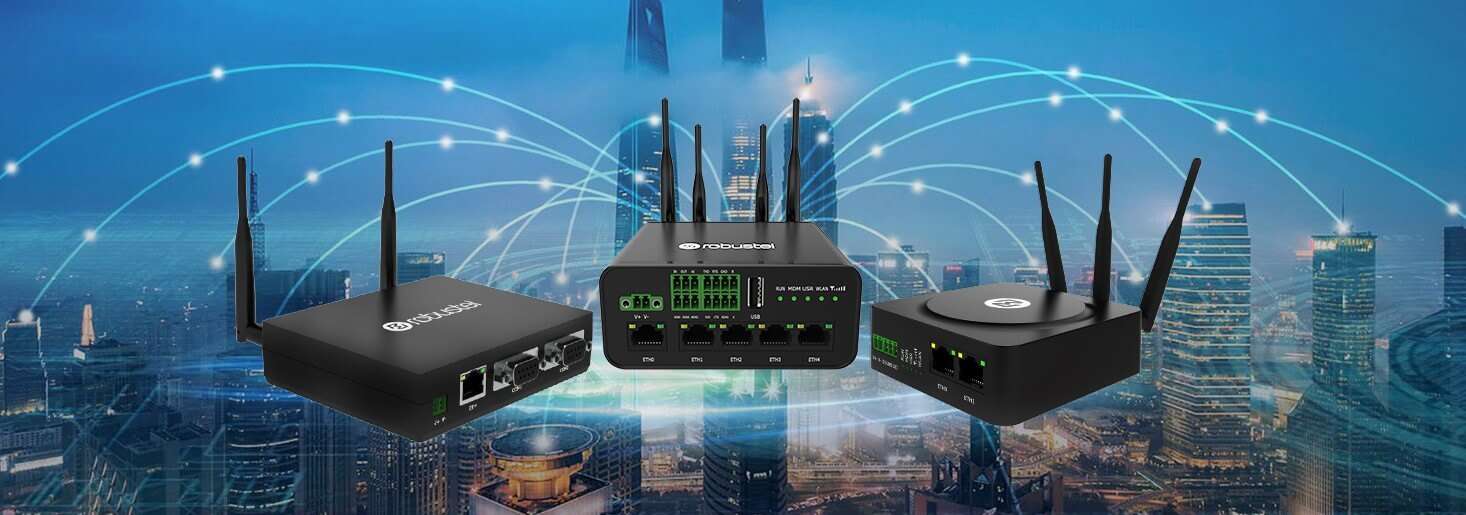
We’ve packaged this exact approach — industrial router, matched antenna and low-cost IoT SIM — into a turnkey solution that Irish installers like Energy Expro roll straight into their service. See the hardware, the deployment process and a real installer case study on our solar monitoring connectivity page, or get in touch to talk through your own installations.